
MCP Server
Domain and IP Intelligence for your AI Agents
Empower your AI agents to tap directly into ViewDNS’s full suite of domain and IP intelligence tools through a single, standards-based MCP gateway.
Automate complex intelligence workflows, from domain reconnaissance to threat enrichment, without custom code or manual parsing.
Get Started for Free
Our Valued Customers Include:





MCP Server Features
Instant 360 degree Domain & IP Insight
With one endpoint your agent can fetch WHOIS, DNS records, subdomain inventories, geolocation and more, turning a single prompt into a complete reconnaissance package.
Massive Scalability
Backed by ViewDNS’s extensive infrastructure, every call returns live data at low latency, ready for high-volume monitoring, threat-hunting or network-ops automation.
One Credential All Tools
Your ViewDNS.info API key acts as the one credential for all of our tools enabling for simple setup.
Entire Workflows Out of the Box
Because each tool shares context through MCP, your AI can pivot from one tool to another all in one autonomous loop without extra glue code.
Usage Details
Plug ViewDNS’s MCP Server into your favourite agent frameworks or workflow tools in minutes. Copy the endpoint below, grab your API key, and pick a tab for step‑by‑step instructions.
MCP Endpoint
-
https://api.viewdns.info/mcp
Authorization
Provide your API key in the request header using the Bearer format:
-
Authorization: Bearer YOUR_API_KEY
Common AI Platform Integration Guides
Claude CLI
Configure Anthropic’s Claude CLI to use our MCP Server in one command.
# Add ViewDNS MCP endpoint
claude mcp add --transport http viewdns https://api.viewdns.info/mcp --header "Authorization: Bearer YOUR_API_KEY"
Once added, Claude can discover and invoke ViewDNS.info tools automatically inside prompts.
OpenAI
Follow these steps to connect the ViewDNS MCP server to OpenAI’s Playground:
- Access the OpenAI Playground at https://platform.openai.com/playground
-
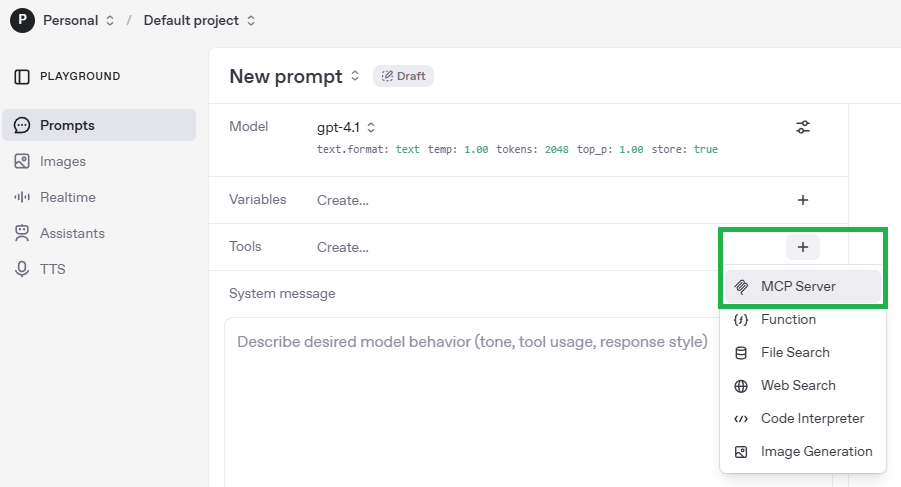
Next to Tools, click the + symbol and select MCP Server.
-
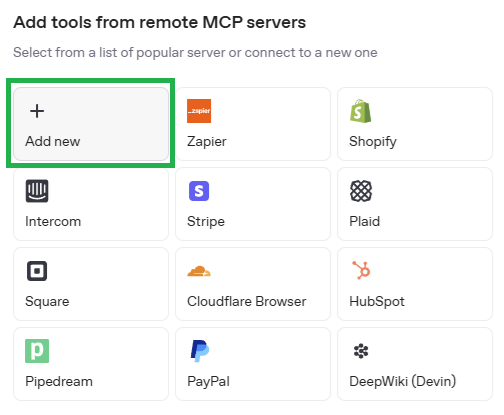
Choose Add new.
-
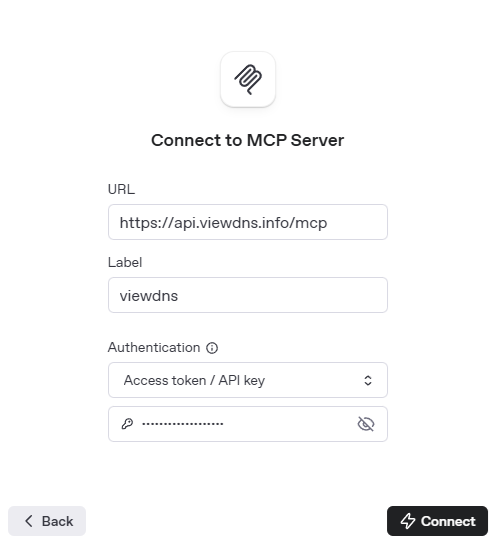
Enter the following values and click Connect:
- URL:
https://api.viewdns.info/mcp - Label:
viewdns - Authentication: Access token / API key
- Value: Your ViewDNS.info API key
- URL:
-
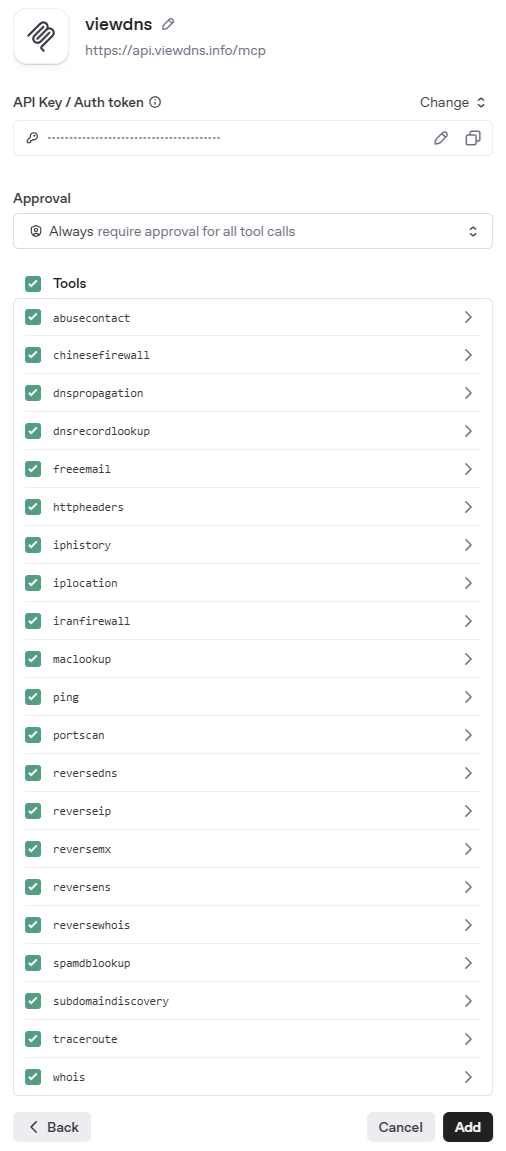
Once connected, a list of tools will appear. Choose your approval preference and click Add.
-
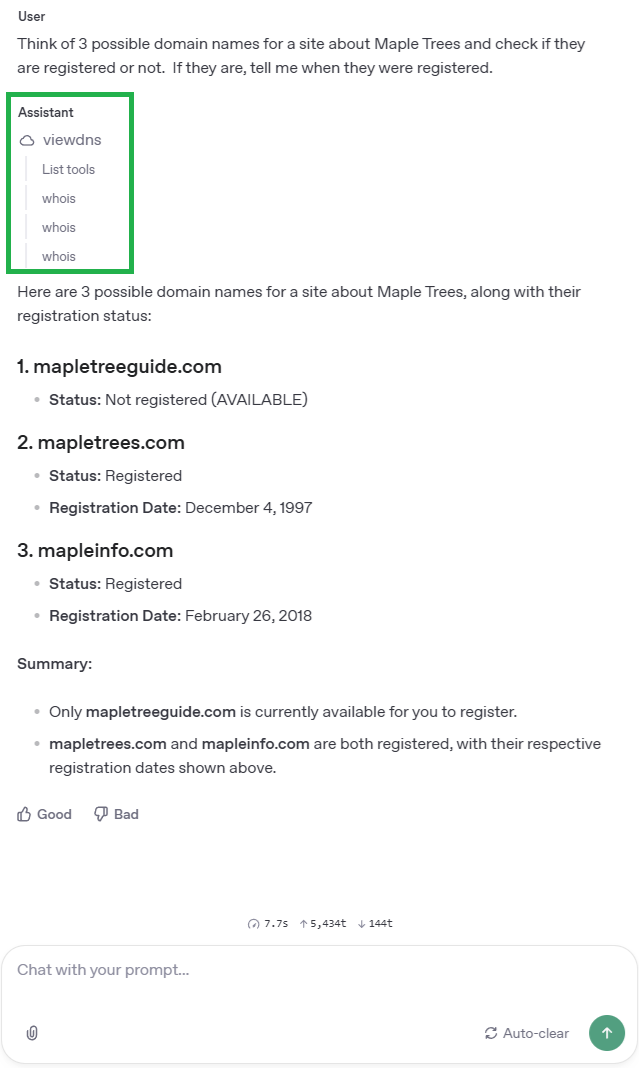
Your prompt area will now support ViewDNS.info tools. Below is an example using WHOIS lookups on multiple domains.
More Coming Soon
As more AI Agents support remote MCP servers, we'll list the configuration steps here.